We've updated the invoice list in your account billing to make it significantly easier to understand your charges at a glance.
What's New
See What You Were Charged For — Instantly
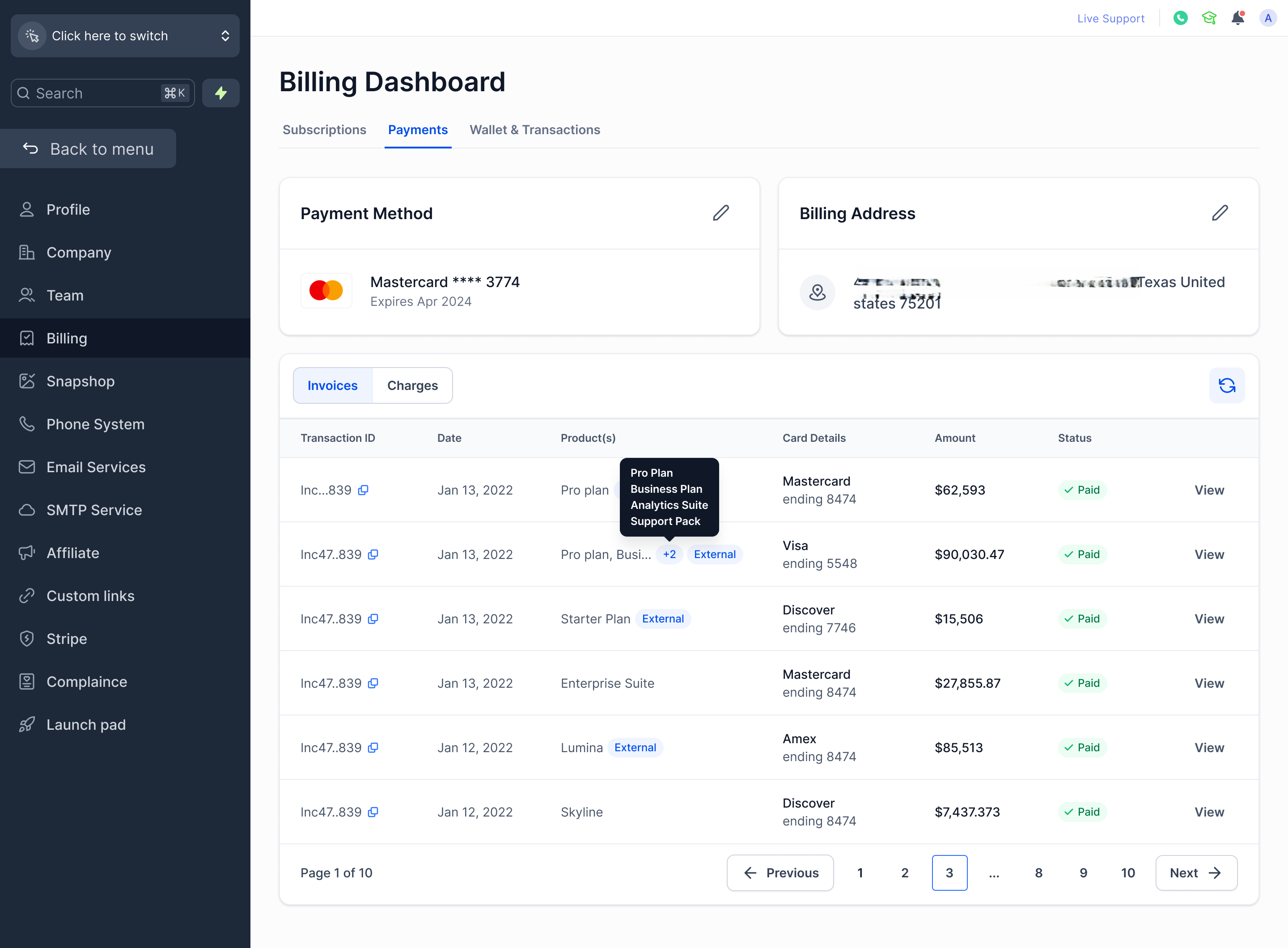
The invoice list now shows product names instead of raw invoice codes in the Products column. For invoices with multiple items, you'll see the first product name and a count of additional items — hover over it to see the full list.
Cleaner Invoice Table
The old Invoice ID column has been removed. In its place, a Transaction ID is shown (truncated for readability) with a one-click copy icon so you can grab the full ID whenever you need it.
Review Invoices Without Auto-Downloading
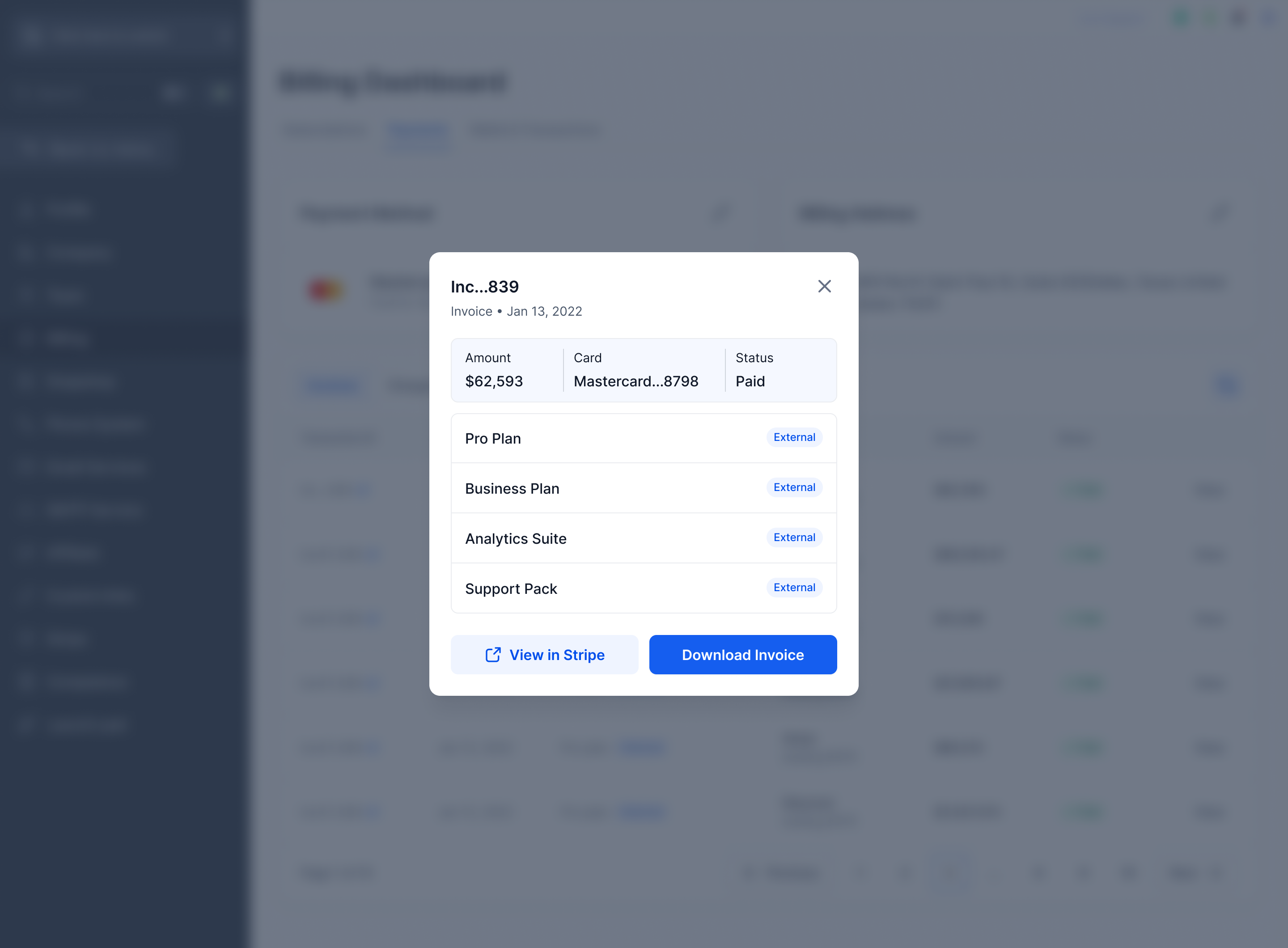
Clicking "View" on an invoice now opens a detail panel instead of immediately downloading a PDF. From there you can review the amount, payment method, status, and line items — then choose to View in Stripe or Download Invoice on your own terms.
Know What's a Platform Charge vs. an External Charge
Invoices and products that come from outside the platform are now clearly labeled "External", so you can immediately tell the difference between your platform subscription and any third-party charges.
Why This Matters
These updates reduce guesswork when reviewing your billing history. You can now identify charges instantly, review invoices without unintended downloads, and clearly see where each charge originates.
Was this article helpful?
That’s Great!
Thank you for your feedback
Sorry! We couldn't be helpful
Thank you for your feedback
Feedback sent
We appreciate your effort and will try to fix the article